
What’s New on Sahi: Research Notifications, Favourite Tools & Faster Order Entry
The latest Sahi release removes everyday trading friction with research notifications, pinned drawing tools, enhanced practice mode, and direct buy/sell execution from the chart.

This release introduces a set of improvements designed to make the SAHI trading experience more efficient across research discovery, chart analysis, order entry, and strategy practice.
Many of these changes focus on removing small frictions that appear during everyday trading, whether it’s checking for new research updates, repeatedly switching drawing tools on charts, entering order values quickly, or practicing strategies across different timeframes.
Here’s what’s new.
SAHI Research Notifications
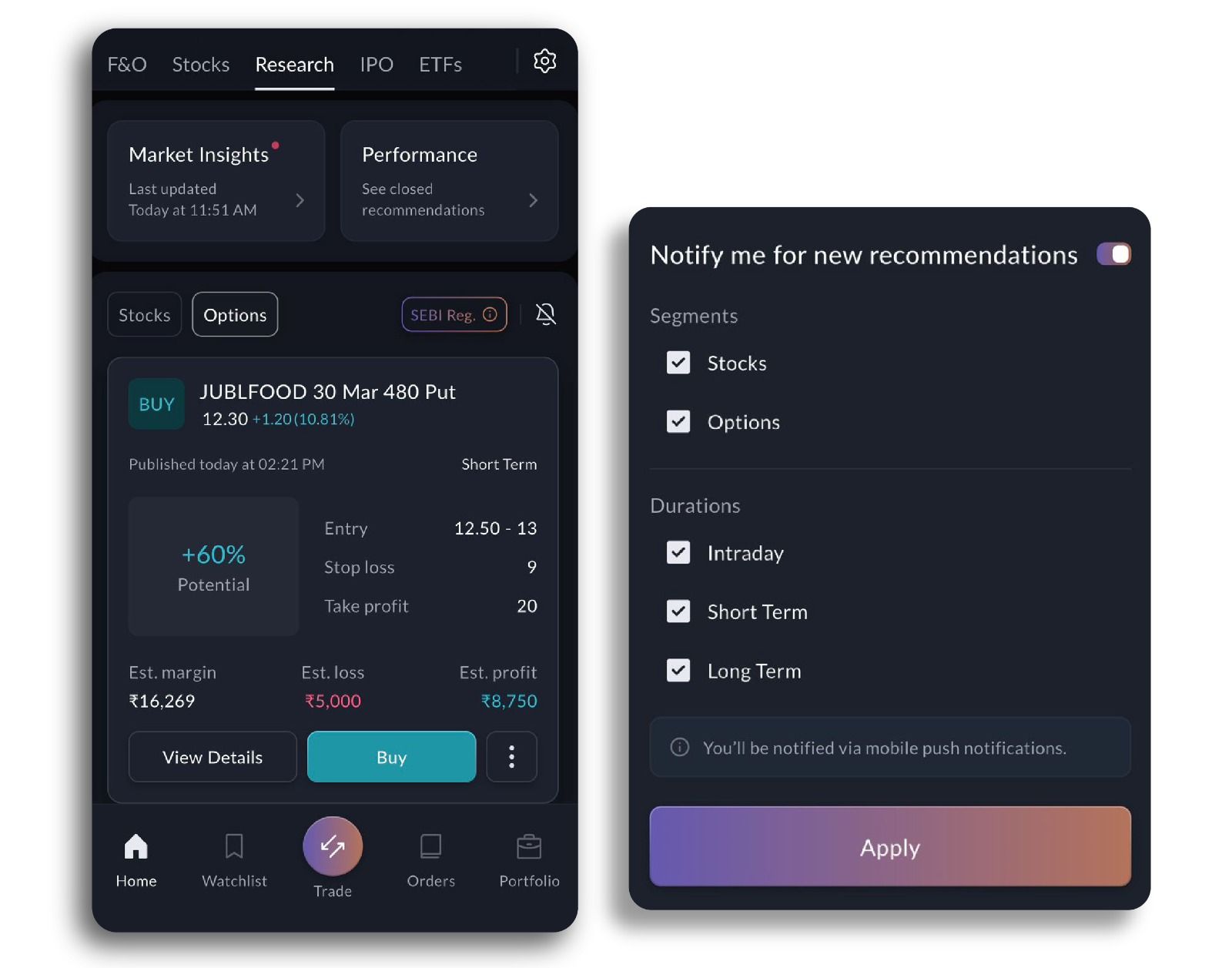
Keeping up with new market insights often requires manually checking the research section throughout the day. With SAHI Research Notifications, you will now receive instant alerts whenever a new research post is published by SAHI Research.
This ensures you stay updated with the latest market analysis, ideas, and insights without needing to constantly revisit the research tab. As soon as a new post goes live, you’ll receive a notification allowing you to open and review it immediately.
For traders who actively follow research updates as part of their market preparation, this makes it significantly easier to stay aligned with fresh insights as they are published.
How to enable it:
Head to the Research section, tap the notification icon, and select the segment and duration type for which you want to receive alerts. Once enabled, you’ll start receiving notifications whenever new research posts are published within your chosen preferences.
Favourite Drawing Tools
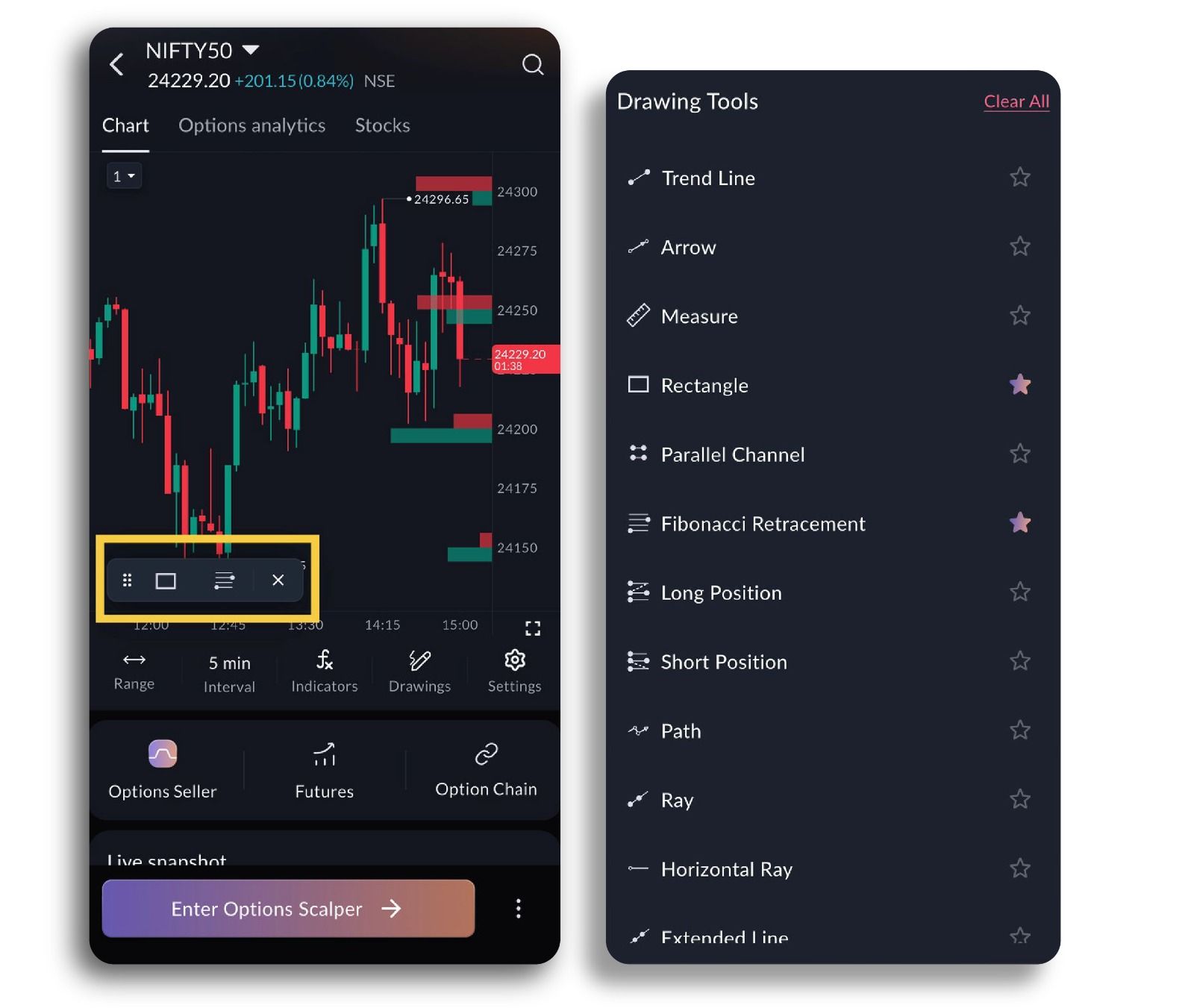
Chart analysis becomes much smoother when the tools you rely on most are readily accessible. With Favourite Drawing Tools, you can now mark your most frequently used drawing tools and pin them to a floating toolbar on the chart.
Once pinned, these tools remain visible while you analyse charts, allowing you to apply them instantly without reopening the drawing tools menu each time. Whether you’re marking support and resistance levels, drawing trendlines, or highlighting key price zones, the process becomes faster and more fluid.
The goal is simple: reduce unnecessary navigation so your attention stays on analysing the chart.
Practice Mode Improvements
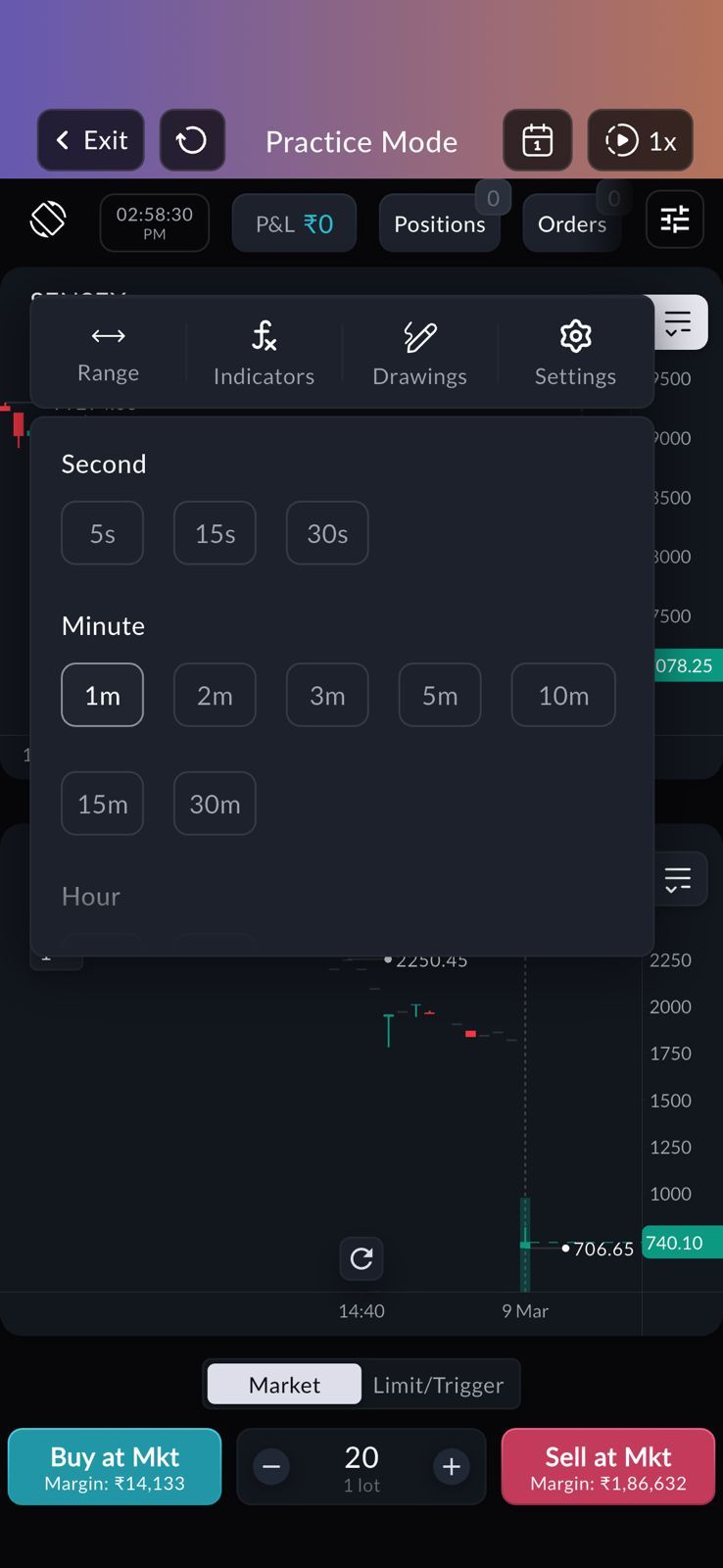
Practice Mode has been enhanced to offer a more flexible environment for strategy testing. The update introduces additional candle sizes and expanded time range options, allowing traders to practice under a broader set of chart conditions.
This makes it easier to experiment with different setups, analyse patterns across multiple timeframes, and understand how strategies behave in varying market structures. Whether you're refining intraday entries or reviewing broader technical structures, the expanded Practice Mode provides a more realistic training environment before committing capital in live markets.
Buy or Sell Directly from the Price Axis
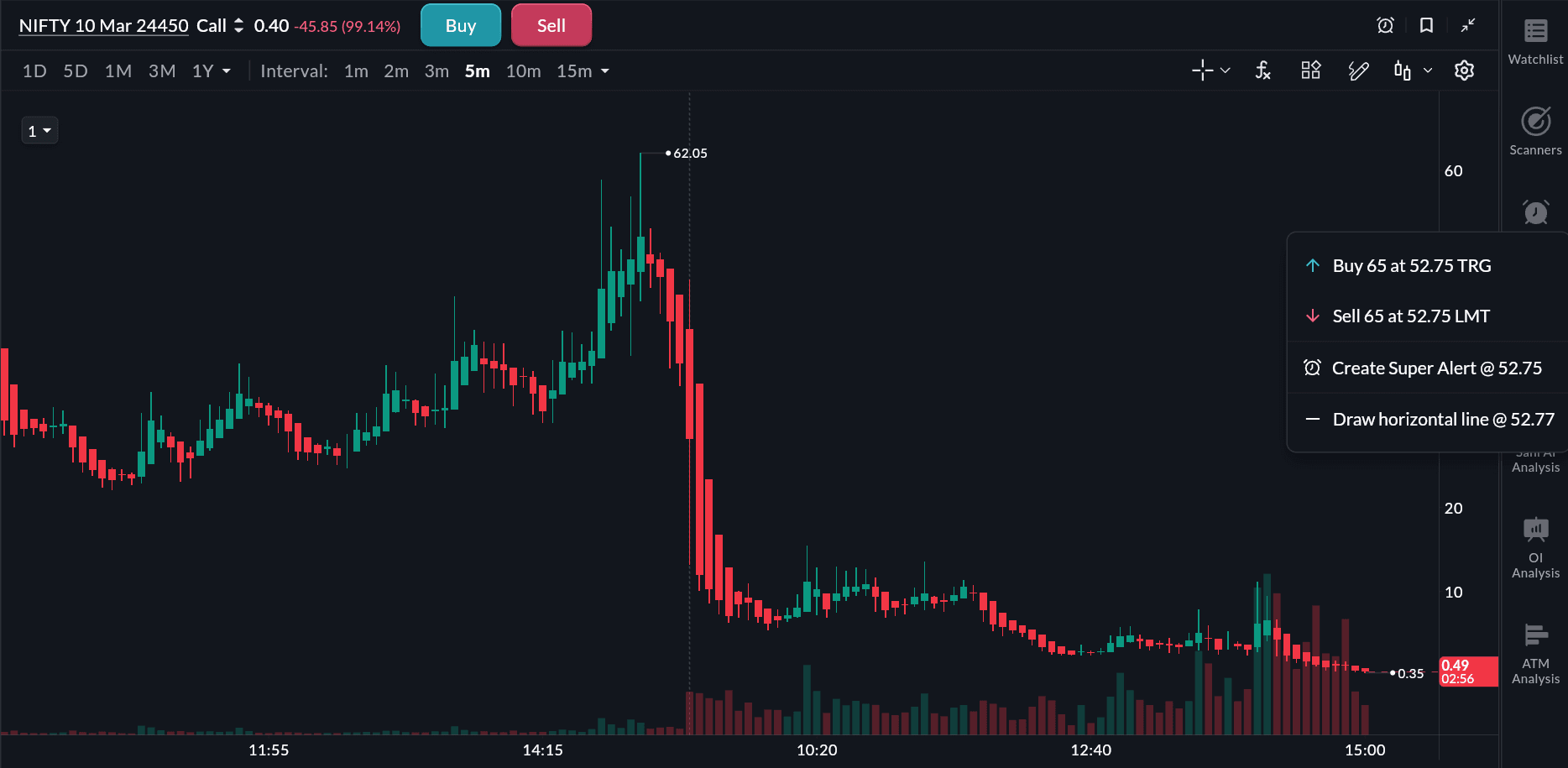
Trading decisions often begin directly on the chart when price approaches a key level. With Buy/Sell from the Y-Axis, you can now execute orders directly from the chart’s price axis.
Simply tap the “+” icon on the price axis at the level you want to trade, and you can immediately initiate a Buy or Sell order from that point.
This reduces the number of steps between identifying a trade level and executing the order, helping traders react faster when price reaches important levels.
These improvements are designed to make trading on SAHI smoother and more intuitive from staying updated with research insights to analysing charts, placing orders, and practicing strategies.
Update the app to explore the latest features and see how they fit into your trading workflow.
All topics
Click the link, confirm the box next to sahi.com is checked — ignore any other results.