
Alerts on Indicators, Discipline Score, Instant Withdrawal and Market Depth on SAHI
4 min read
Published 13 Nov 2026, 10:00 PM ISTUpdated Sat, 14 Nov, 2026, 05:30 AM IST

Summary
Set alerts on 133 indicators, see your monthly Discipline Score, check market depth from the order panel, and use a higher Instant Withdrawal daily limit.
Trade Smarter, Not Harder
Receive market breakouts, AI insights, and trading strategies directly in your inbox.
Alerts on Indicators, Discipline Score, Instant Withdrawal and Market Depth on SAHI
Here’s what’s new on SAHI this week.
Alerts on Indicators
Price alerts tell you where the market is. Indicator alerts tell you what your indicators are showing, so you don’t have to keep the chart open to catch it.
You can now set alerts on indicators, not just price. 133 indicators are supported today, with more coming in the next few days.
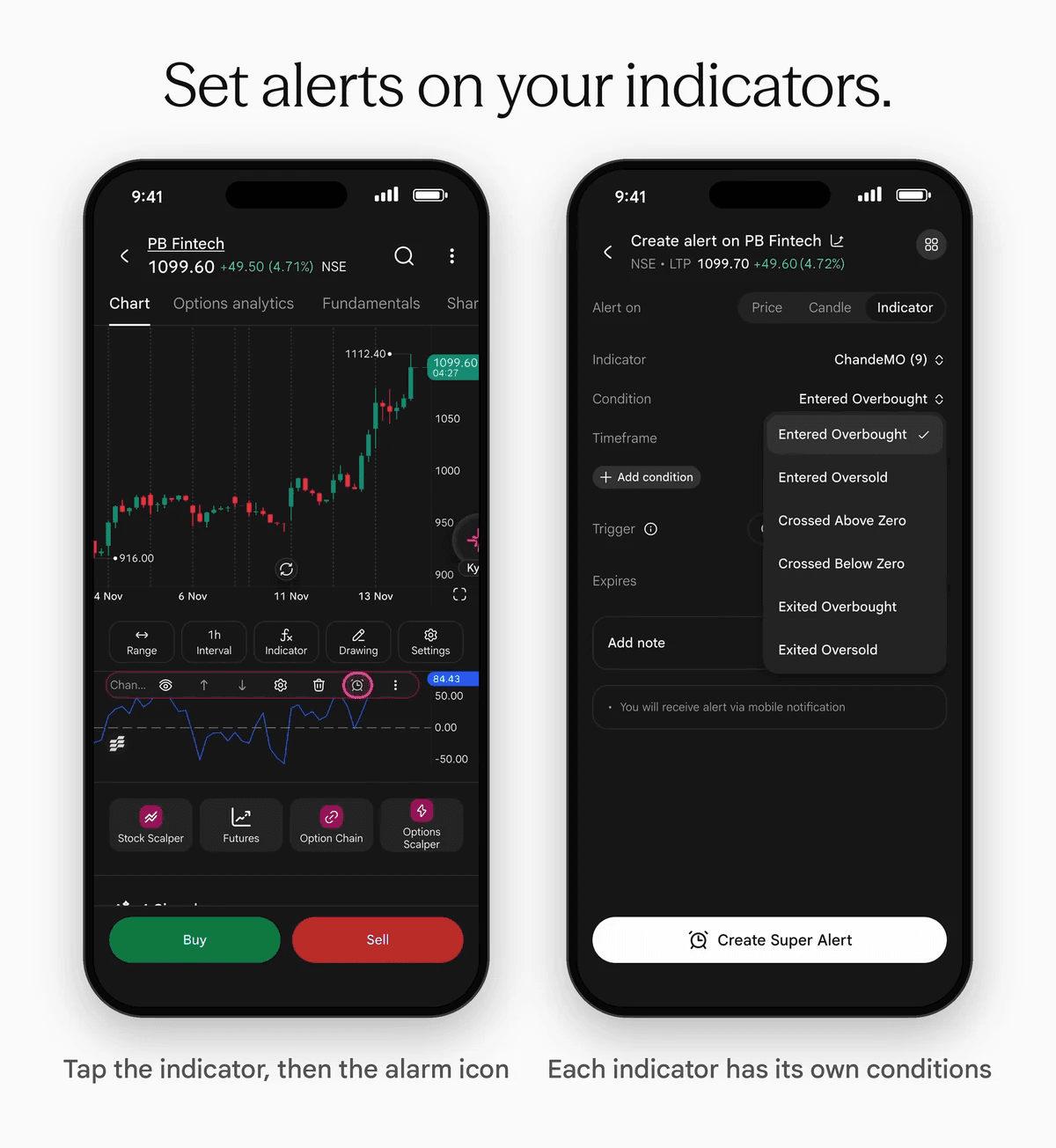
Every indicator has its own conditions. You pick the one that matches what that indicator shows, so the alert fires on the signal you care about and not on a generic rule.
How to set an alert
- Open a chart and tap the indicator.
- Tap More options, then Alert on indicator.
- Choose the condition and the timeframe.
- Choose whether you want to be alerted once only or once per bar.
- Set when the alert expires, and add a note if you like.
- Tap Create Super Alert.
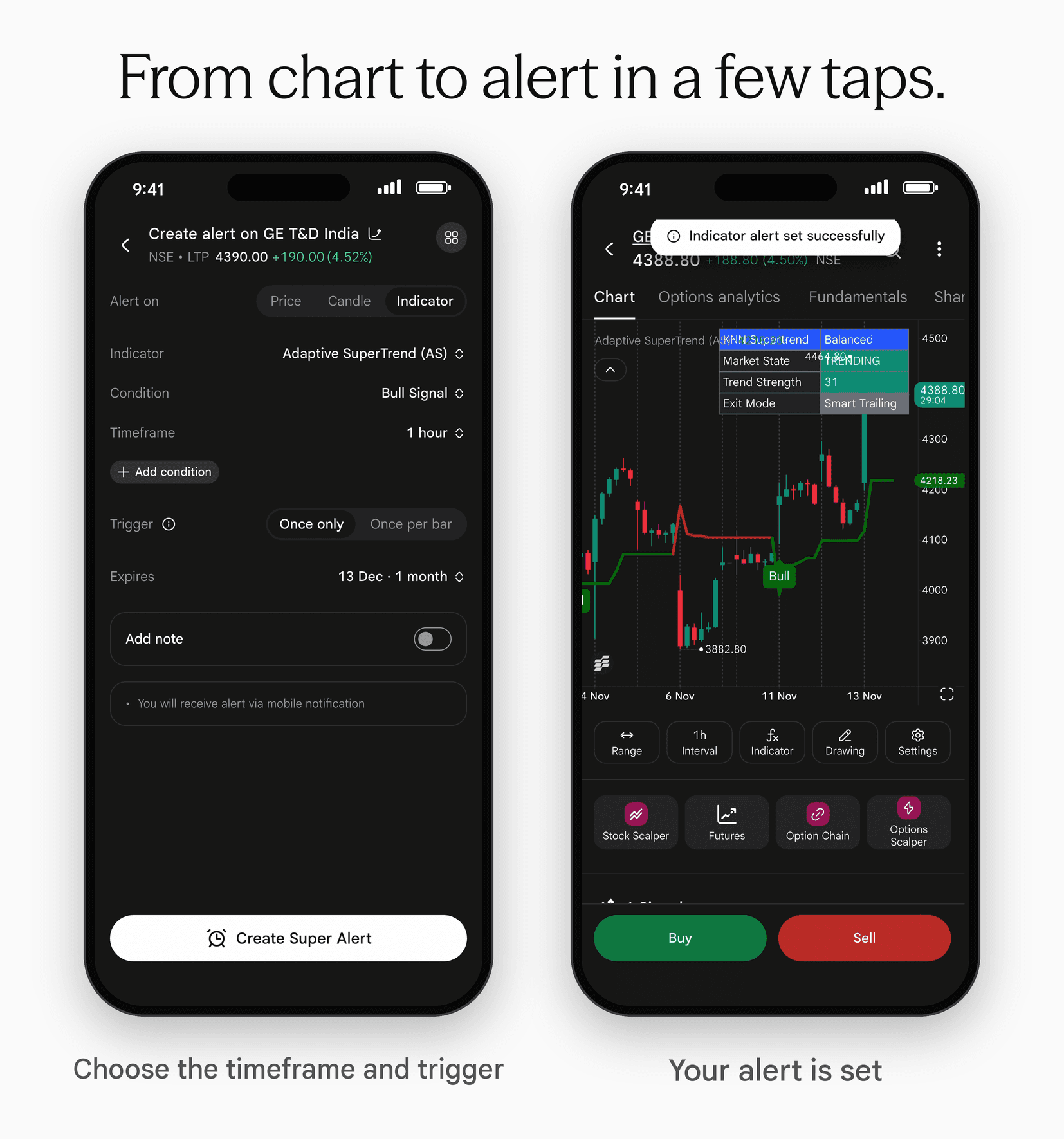
You get the alert as a mobile notification. If an indicator isn’t supported yet, you will see a message telling you so.
Discipline Score
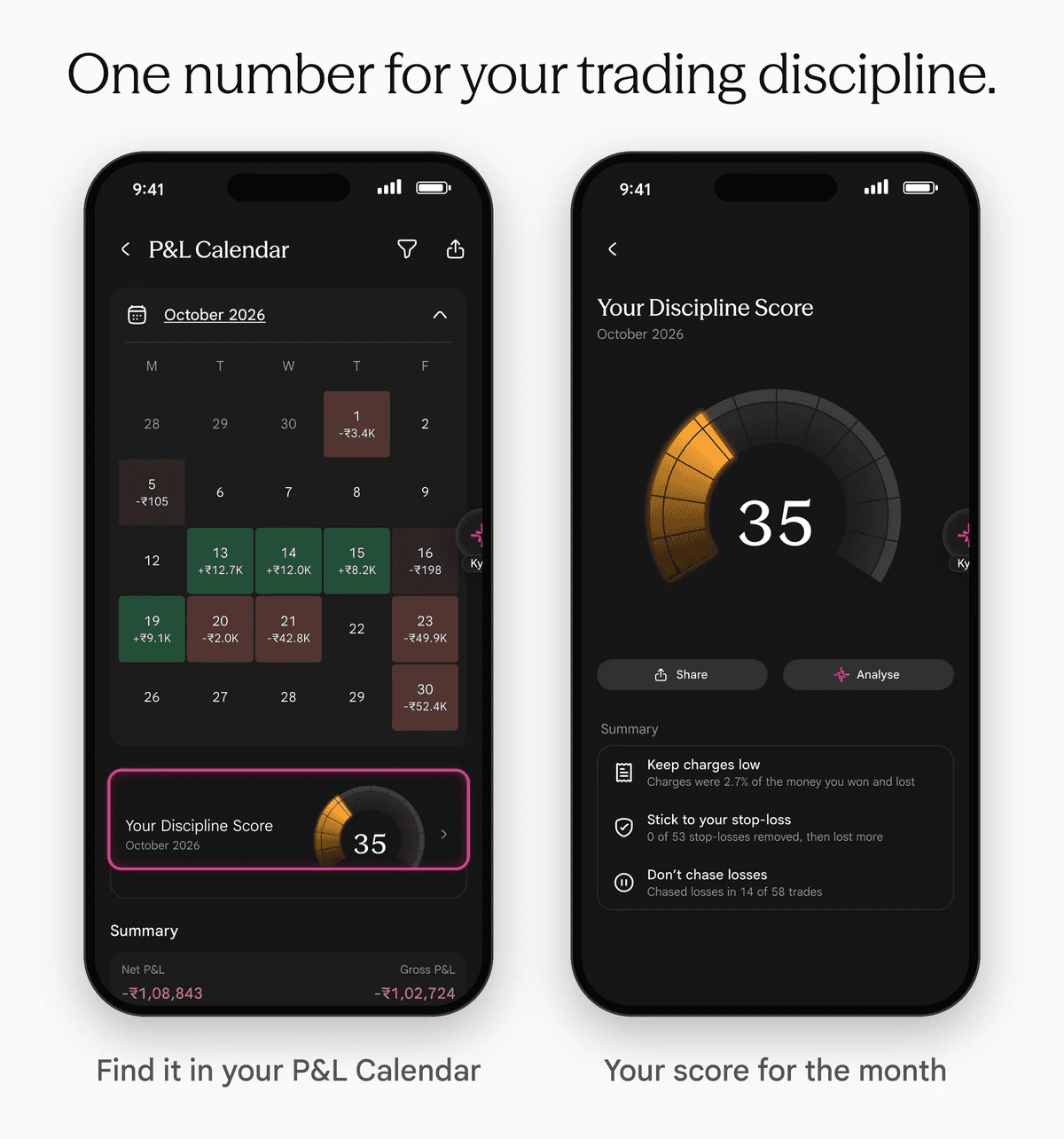
Introducing Discipline Score: a single number that shows how consistently you stick to your trading rules.
Built on research into the discipline practices of top international trading desks, so you can trade with a professional’s consistency.
Discipline Score looks at seven trading habits:
- Cut losses early
- Limit big losses
- Don’t chase losses
- Keep charges low
- Keep trade size steady
- Stick to your stop-loss
- Make wins bigger than losses
You get a score for the month and your top three habits. Each habit shows what happened in your own trades, so you can see where to focus next.
You can share your score, or tap Analyse to go deeper.
Where to find it
Go to Profile, then P&L Calendar, then Your Discipline Score.
Instant Withdrawal
The Instant Withdrawal daily limit is now ₹5 lakh, up from ₹2 lakh.
Market Depth
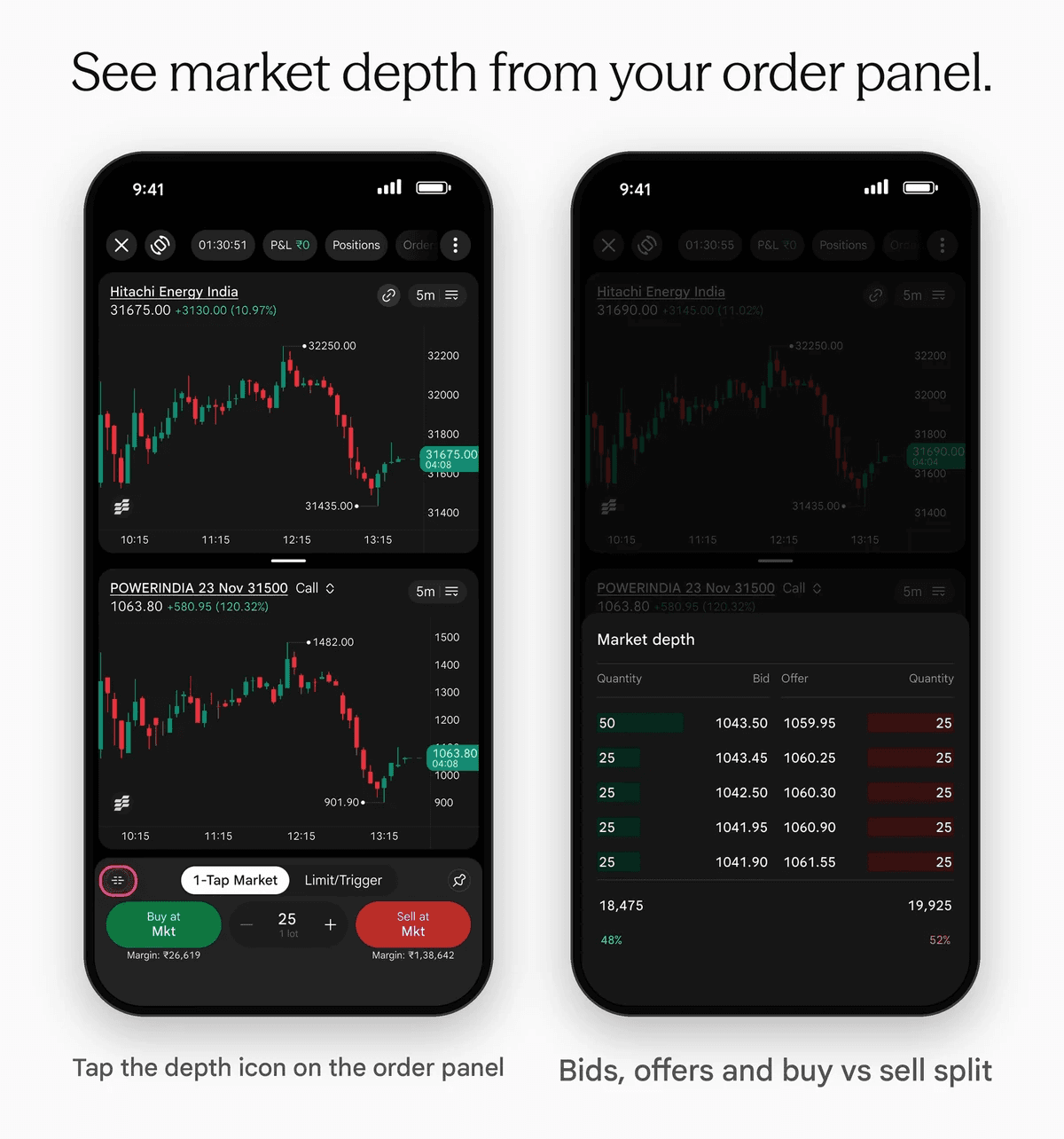
Before you place an order, you want to see what is sitting on the bid and the offer. Now you can check it without leaving the screen you are trading from.
A market depth icon sits on the left of the order panel on the full-screen chart and in Scalper. The order form has it too. Tap it to see the bids and offers for the instrument you are trading.
Market depth also shows the buy vs sell split, as a percentage of total bid quantity and total offer quantity. It gives you a quick read of which side has more orders.
What happens when you tap a price
- On the order form: tap any bid or offer and the order switches to Limit at that price.
- On the full-screen chart and in Scalper: market depth is for reading. Tapping a price does not change your order.
Update to the latest version to start exploring.
For educational purposes only. Not investment advice.
FAQs
Recent blogs

Jio Platforms IPO: Everything Investors Need to Know Before Investing
/Posted 1 month ago
Add Sahi as a Preferred Source on Google
Click the link, confirm the box next to sahi.com is checked — ignore any other results.