



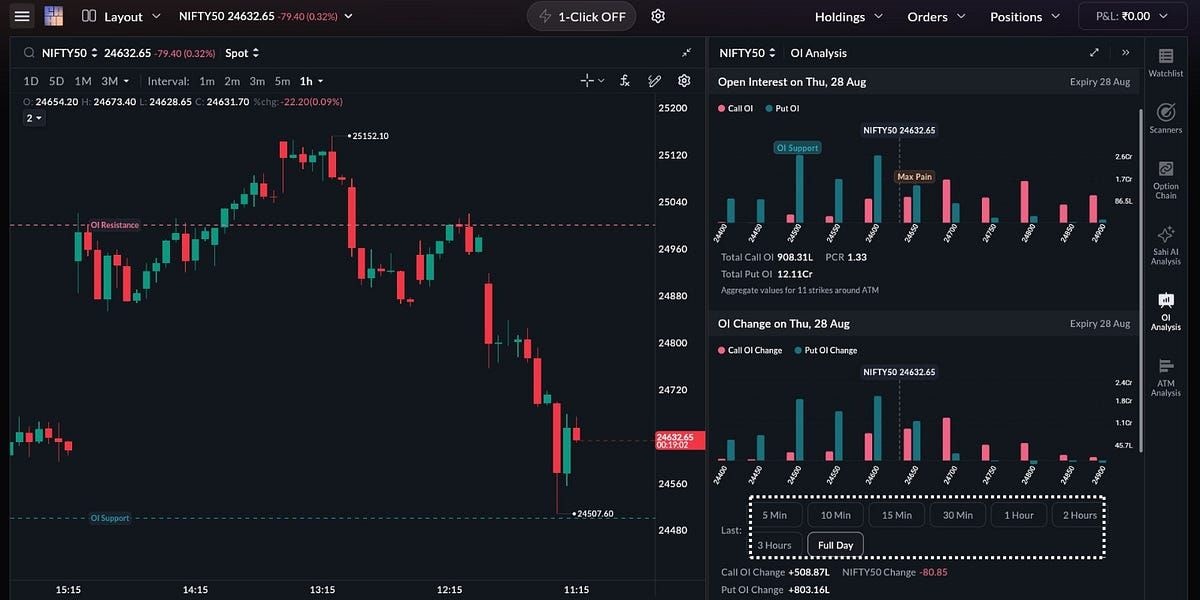
SL/TP on the Underlying: Set Your Stop Loss and Target on the Spot Chart
4 min read
Published 26 Nov 2026, 10:00 PM ISTUpdated Thu, 26 Nov, 2026, 05:30 AM IST
Summary
Set your stop loss and target on the underlying’s spot chart for index, stock and commodity options, and choose a market or limit order.
Trade Smarter, Not Harder
Receive market breakouts, AI insights, and trading strategies directly in your inbox.
SL/TP on the Underlying: Set Your Stop Loss and Target on the Underlying’s Price
Here’s what’s new on SAHI this week.
Whether you trade index, stock or commodity options, you can now place your stop loss and target on the underlying’s chart, in addition to the option premium.
What’s new
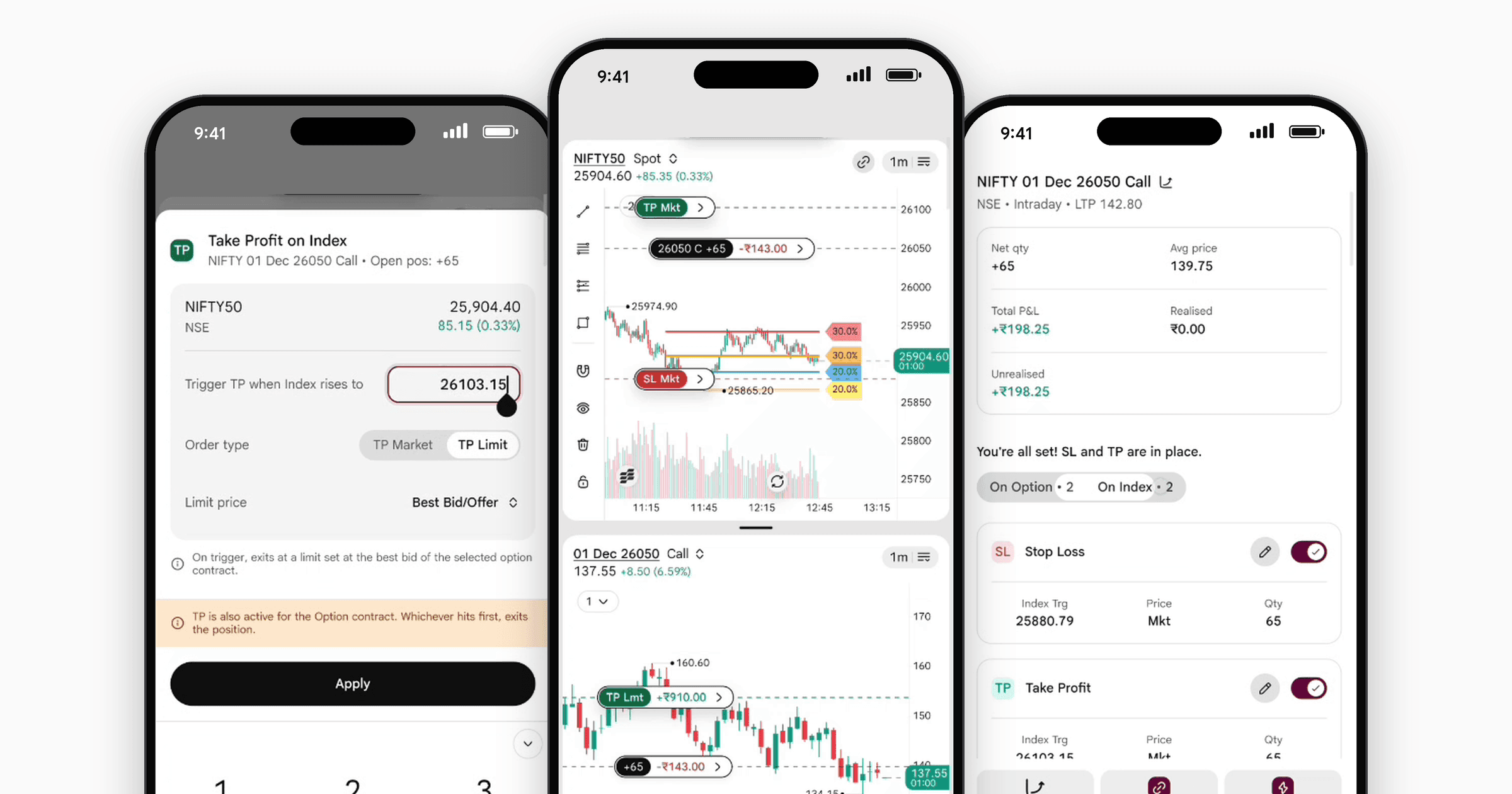
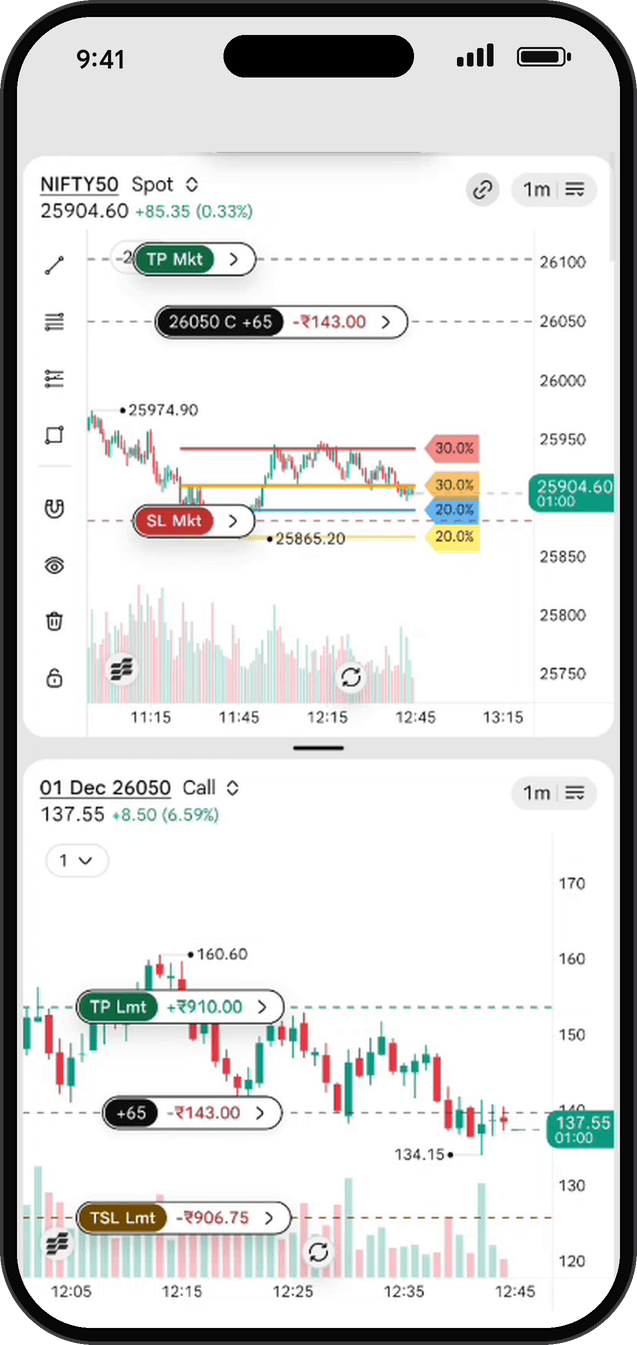
You can now set your stop loss (SL) and target, also called take profit (TP), on the underlying’s price. You can still use the option premium as before. Both options are available on the same position.
- Index options: you set the SL and TP on the index.
- Commodity options: you set the SL and TP on the futures price.
- Stock options: you set the SL and TP on the stock price.
How it works
You choose a level on the underlying’s chart. SAHI watches the underlying’s price for you. When the price reaches your level, SAHI places an exit order on your option position.
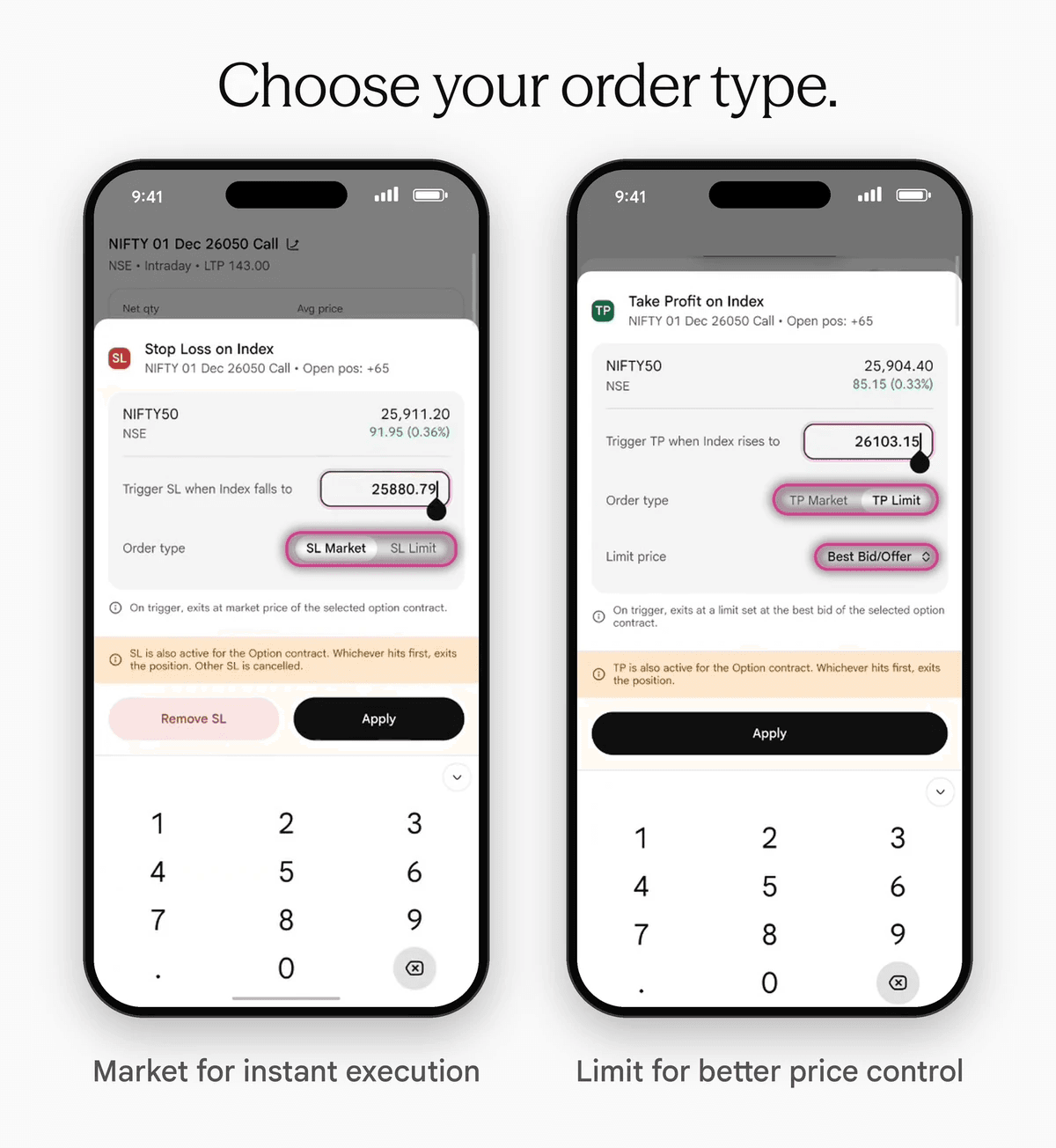
You decide how that exit is placed:
- Market places the exit straight away at the market price.
- Limit gives you more control over the price. You choose how the limit price is set, for example at the best bid or offer of the option.
How to set it up
You can set it from the chart or from the position details screen. Both edit the same SL and TP, so the numbers always match.
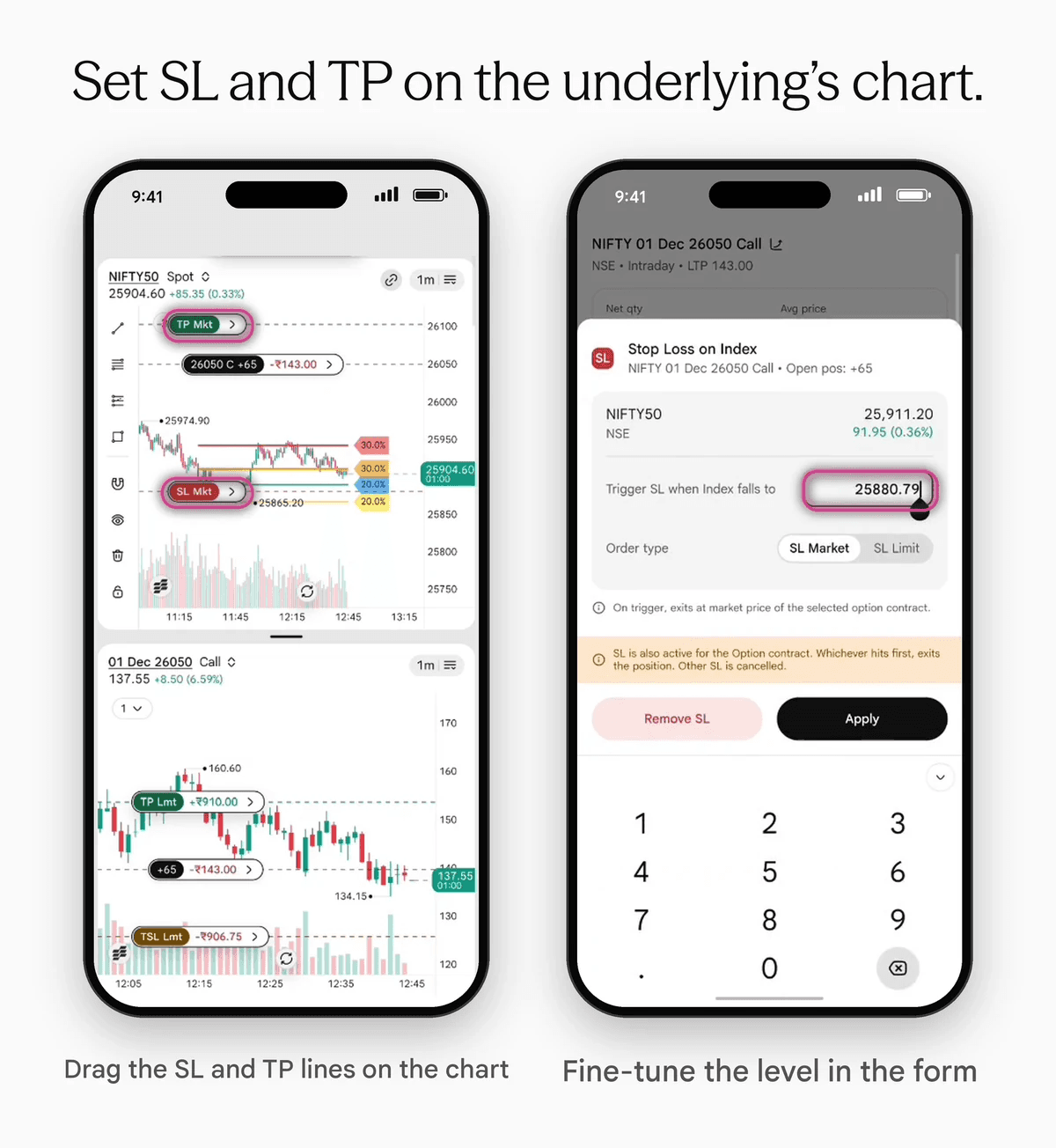
From the chart
- Open the underlying’s chart. It shows your open positions on that underlying.
- Drag the SL or TP line to the level you want.
- Tap the SL or TP tag on the chart to open the order form. Type an exact level, choose Market or Limit, and tap Apply.
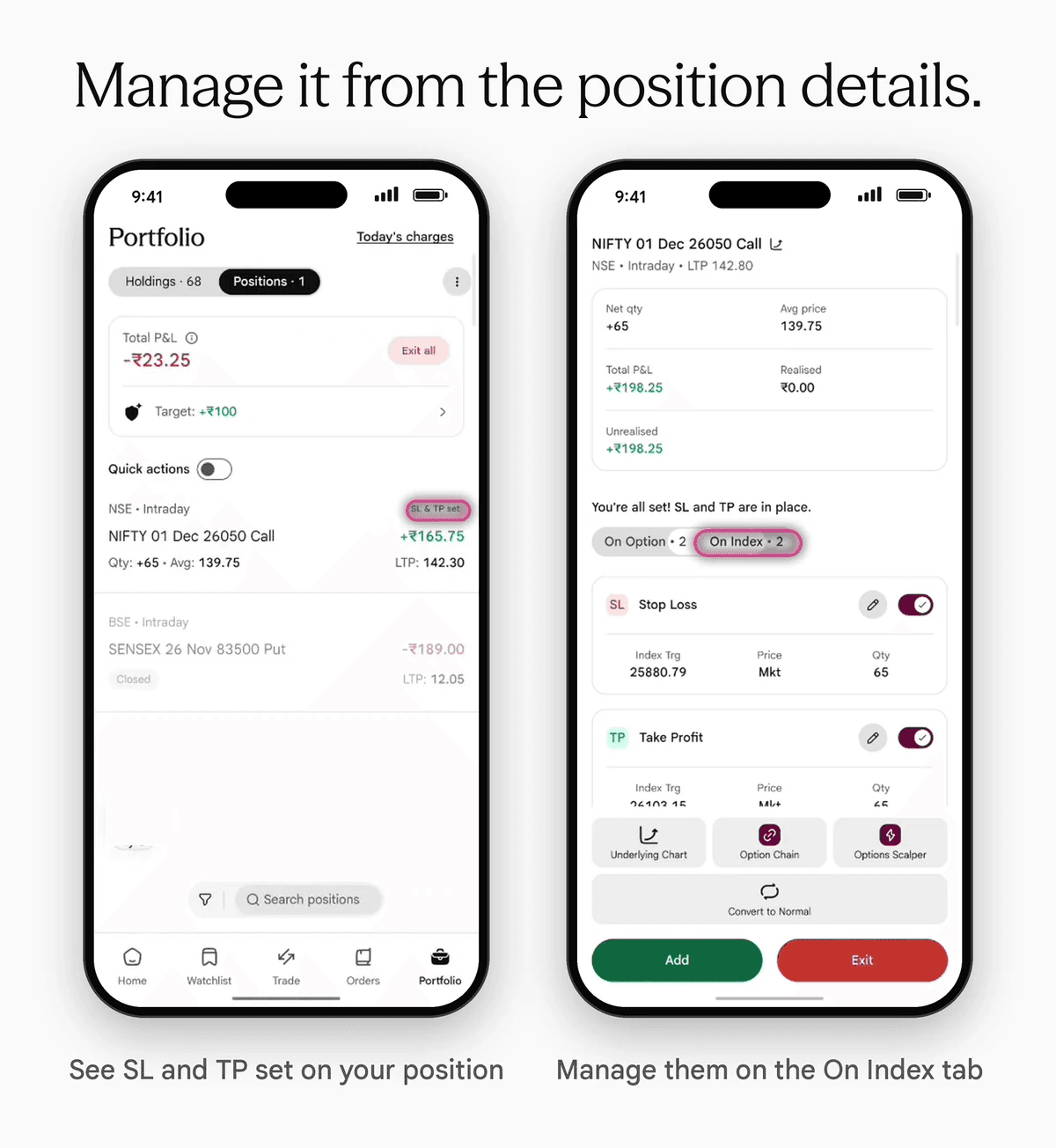
From the position details screen
- Open your positions page.
- Go to the On Index tab. Here you can see your SL and TP, edit them with the edit icon, or switch them on and off.
Works alongside your option premium SL/TP
You can keep an SL and TP on the option’s own price and add one on the underlying for the same position. Whichever one is hit first exits the position, and SAHI cancels the other. This means nothing is left waiting on a position you have already closed.
Good to know
- Intraday positions: the trigger always covers your full position. If you add or reduce lots, it adjusts automatically.
- Normal positions: you choose the quantity, and the trigger stays active in every session until the contract expires or you close the position.
- When the trigger ends: it is cancelled if you close the position, when the contract expires, and before the intraday square-off.
- Margin: no margin is blocked while the trigger is waiting.
Update to the latest version to start using it.
For educational purposes only. Not investment advice.
FAQs

Add Sahi as a Preferred Source on Google
Click the link, confirm the box next to sahi.com is checked — ignore any other results.