
What's New on Sahi
Here's what's new this week on Sahi.

What's New this Week on Sahi
Expected Move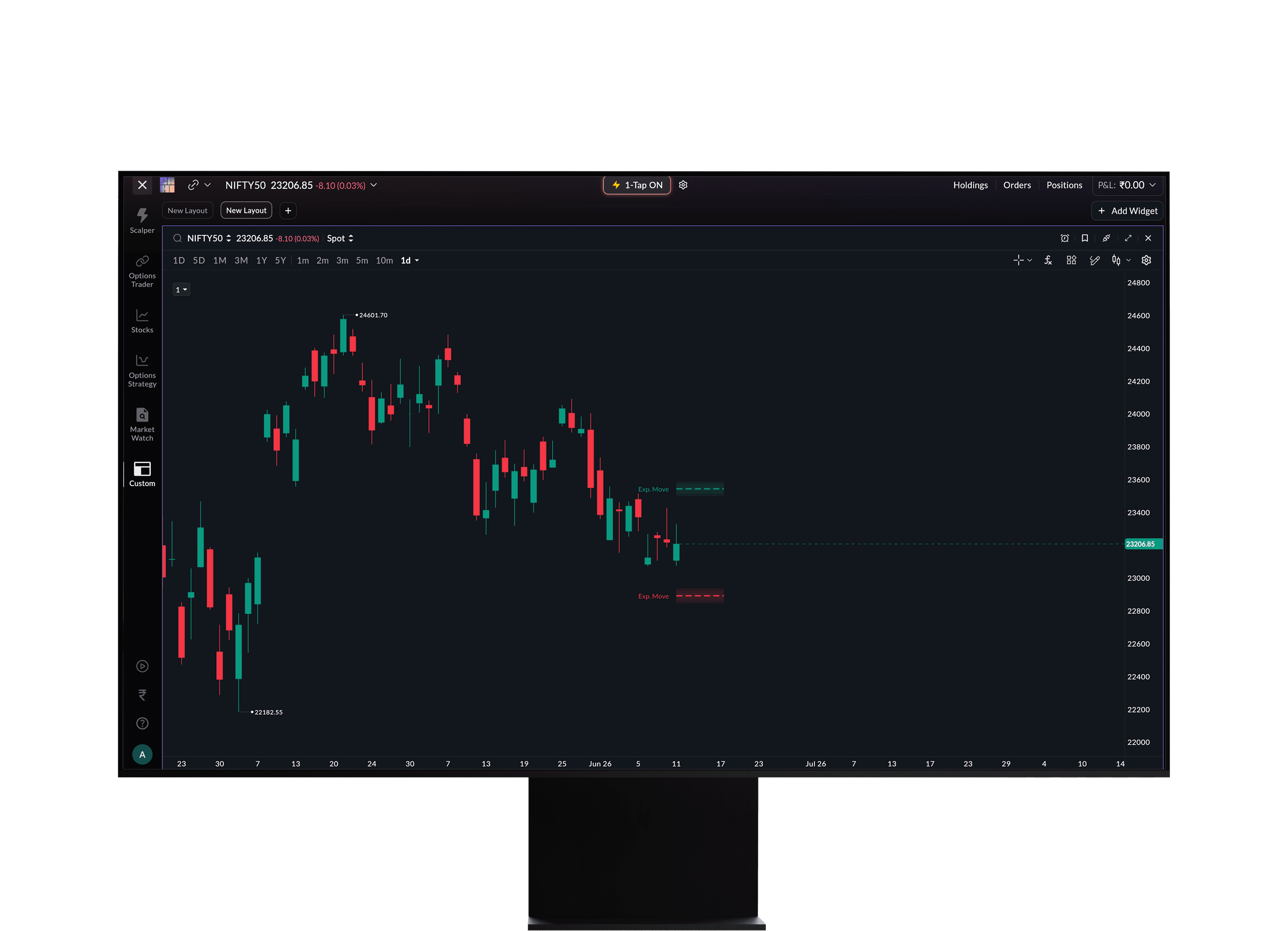
Every options trader has a number in their head: "how far can this really move?" Expected Move makes that number visible. This exclusive Sahi indicator uses live options data to plot upper and lower bands directly on your chart, showing exactly where the market expects your instrument to trade by expiry. Not a guess. Not a model. The market's own pricing, surfaced for you.
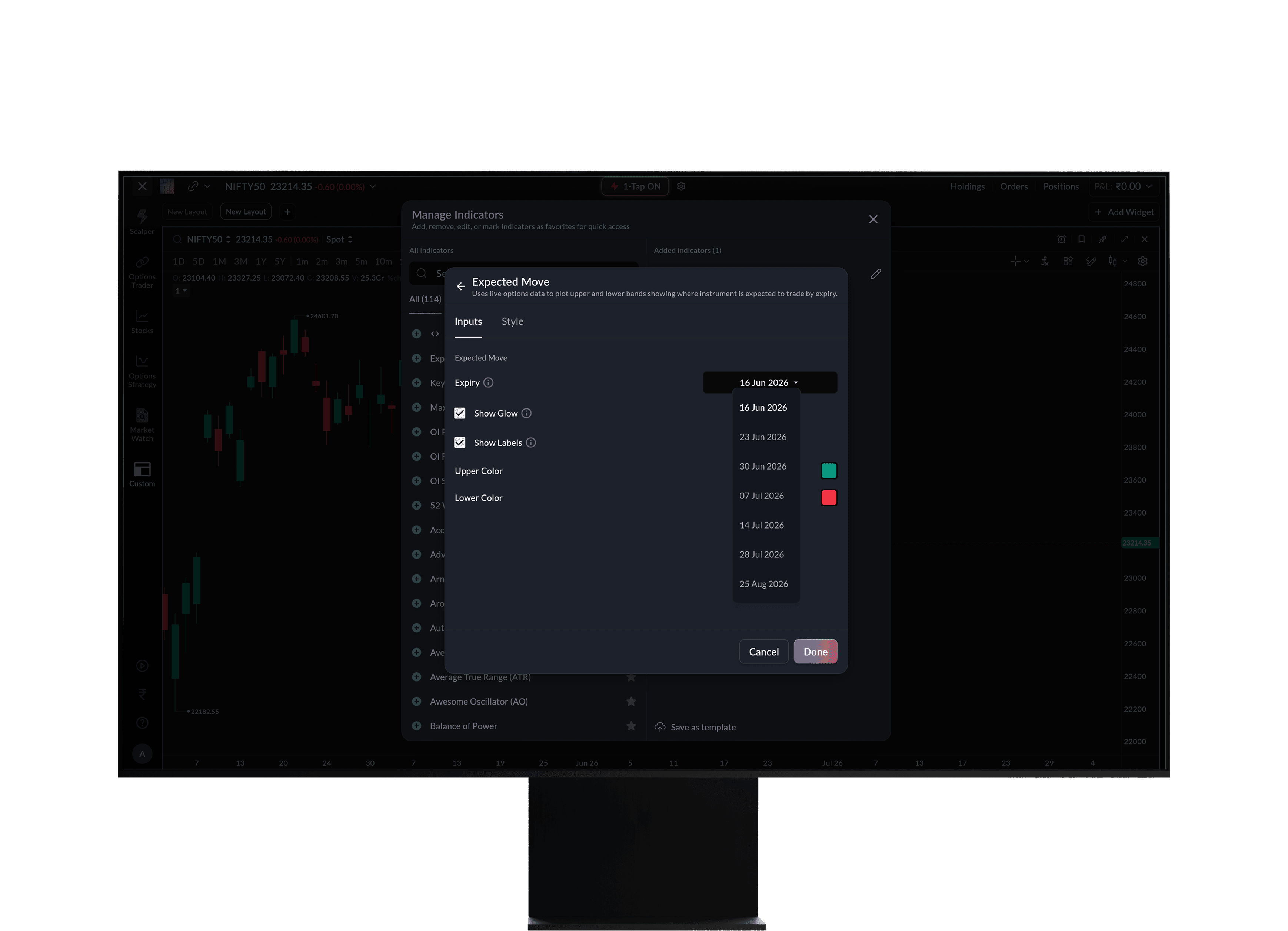
You can also choose which expiry you want to analyse. Tap indicator settings and pick the date that matters to your trade.
Drawing Toolbar and Magnet
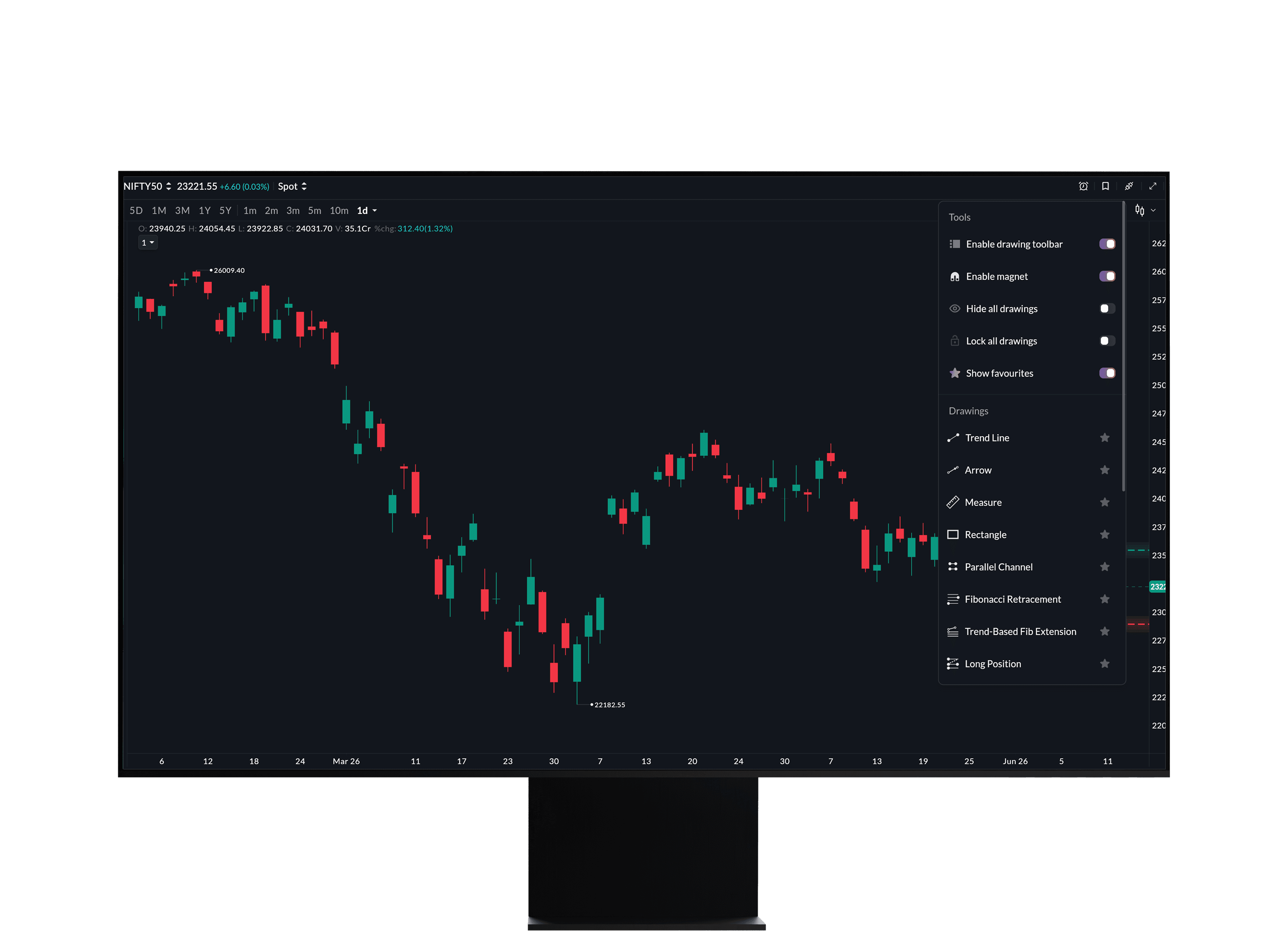
Your chart, your tools, always within reach. Enable the drawing toolbar and it appears directly on your chart, giving you one-tap access to all your drawing tools without digging through menus mid-trade. Pair it with the magnet and your drawings snap precisely to price levels and candle points, so what you draw is exactly what you mean.
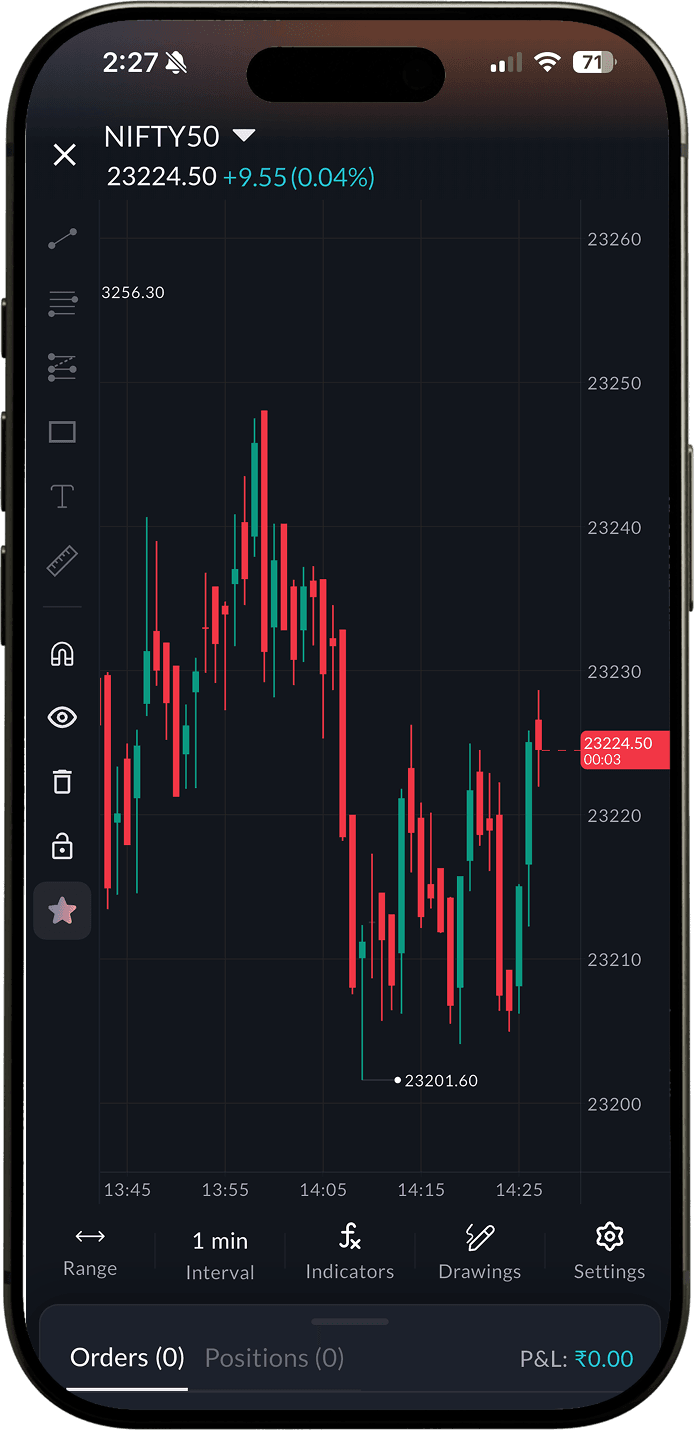
Both controls are under Drawing Options on your chart. Enable either or both.
Kill Switch Timeframes
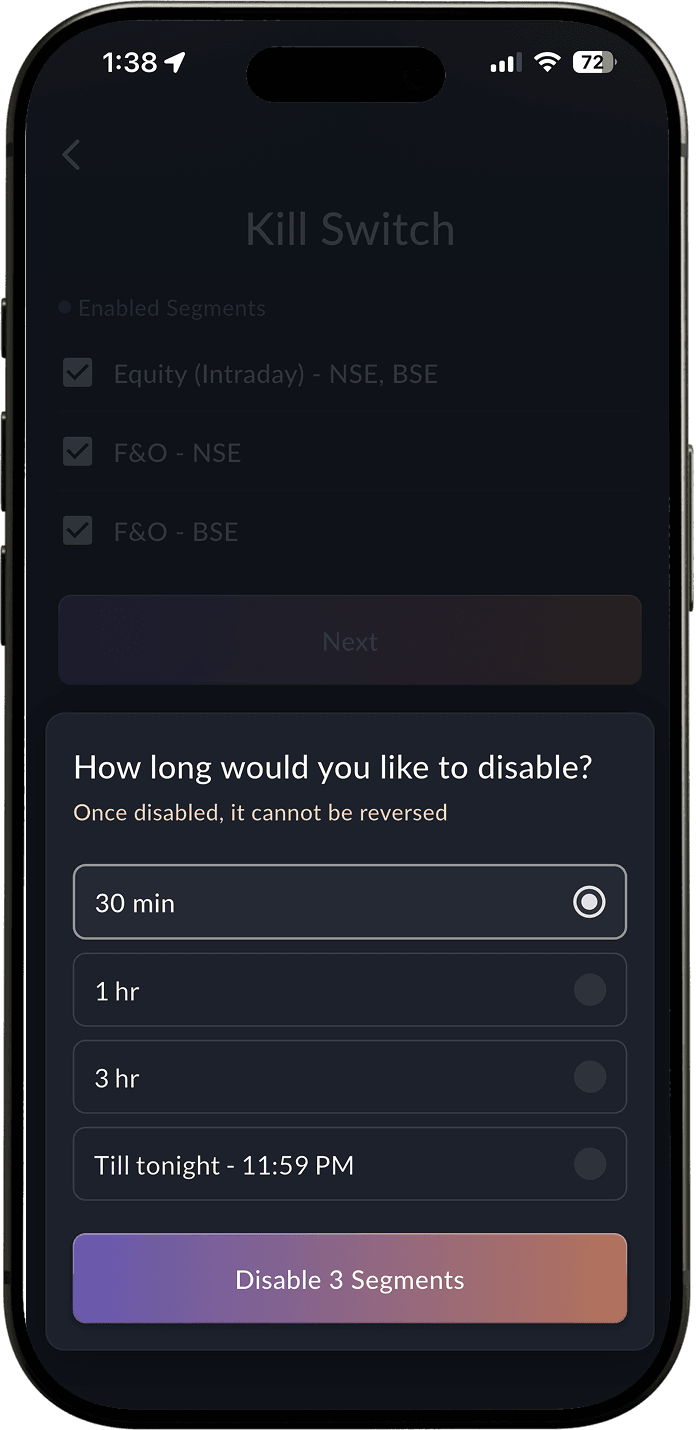
The Kill Switch just got more flexible. You've always been able to step away. Now you can choose exactly how long. Set it for 30 minutes, 1 hour, 3 hours, or through the end of the day till 11:59 PM. Short session break or full day off, the choice is yours.
Profile → Kill Switch → Select your segment.
Auto SL/TP Limit Offset
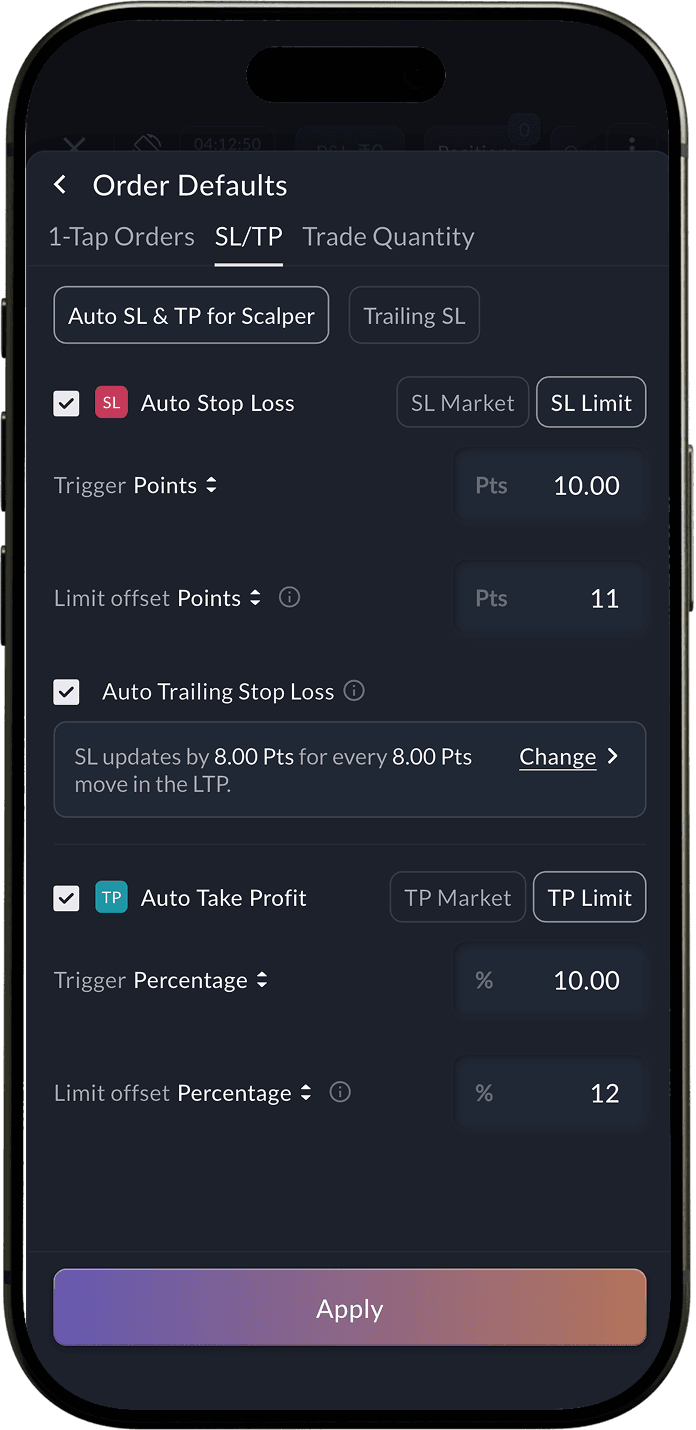
Auto SL and TP limit orders in Scalper now let you set a limit offset, a small buffer between your trigger price and your limit price, giving your order a better chance to fill when the market moves fast. Set it in points or percentage, or keep it at 0 to match the trigger exactly.
Order Defaults → SL/TP.